zaterdag 16 december 2023

Build a data warehouse with DBT and Snowflake on AdventureWorksLT (PART I)

Introduction

In this blogpost, I want to show you a couple of things that you can do with DBT and Snowflake. I've already installed and setup DBT for Snowflake. For the purpose of this blogpost, I've created a AdventureWorksLT database in Snowflake. You can read about this database in the blogpost: "AdventureWorksLT on Snowflake". 


So, in this blogpost I'll describe how to build a simple DBT flow with DBT based on Snowflake with the AdventureWorksLT database. This is a first blogpost in a series of blogpost about DBT and Snowflake.


Design of the DBT flow

The AdventureWorksLT database contains a couple of tables (not as much as the normal AdventureWorks database) and I picked a couple of interesting tables for this demo: Customer, Product, ProductCategory, ProductModel, SalesOrderDetail and SalesOrderHeader. Then, I want to stage them into stage views in the Staging layer. The purpose of the staging layer is for some transformations that is sometimes necessary, like conversions or renaming. The last step is to get the data into the dimensions and facts.


And, don't forget to create a calendar dimension that contains the date information. I've already blogged about a way to do this in Snowflake in this blogpost : "Creating a Date dimension with the Generator function in Snowflake"

My first dbt query

Now, to finish this first blogpost with DBT on Snowflake based on the AdventureWorksLT database, I've created a first model : Stg_Customer. Just a simple CTE:

WITH CTE_STG_CUSTOMER AS (
    SELECT * 
    FROM ADVENTUREWORKSLT.SALESLT.CUSTOMER
)
SELECT 
     SUFFIX
    ,MIDDLENAME
    ,EMAILADDRESS
    ,COMPANYNAME
    ,NAMESTYLE
    ,PASSWORDHASH
    ,CUSTOMERID
    ,PHONE
    ,SALESPERSON
    ,TITLE
    ,FIRSTNAME
    ,LASTNAME
    ,MODIFIEDDATE
    ,ROWGUID
    ,PASSWORDSALT
FROM CTE_STG_CUSTOMER;

And lets test this model (that's is awkward name of a SQL Statement name in DBT) with an execute on Snowflake :


The next thing is to test the project in DBT. Open a Terminal and execute dbt run :


I receive an error because of ; at the end of the statement in stg_Customers.sql. When I remove the ; it will run, happily :


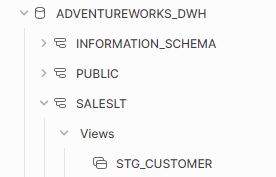
It's a bit confusing because when I execute scripts with Snowsql, then there should be a ; at the end of the statements. Anyway, let's go to Snowflake and check if there is a view called STG_Customers?


Final Thoughts

Well, this is the first of a series of blogposts about DBT, VSC and Snowflake based on the AdventureWorksLT database.

Hennie

Timetravel in Snowflake to retrieve previous code back

Introduction

Mainly, Timetravel is focussed on getting the old data back, but what if you have doubts whether some code worked before and now it isn't anymore. Can you retrieve the previous code back? Yes, that is possible. But you can't time travel on stored procedure objects. How do achieve time travel on code? Well, you can use the time travel functionality on schema and database level and then clone the situation at a particular point in time. Let's try this out.


Time travel

I've included the complete script. I'll  explain it in more detail after this code block.


//============================================================================
// Setup Databases
//============================================================================
CREATE OR REPLACE DATABASE TIMETRAVEL_TIMESTAMP_SP;

CREATE OR REPLACE SCHEMA TESTHENNIE;

USE DATABASE TIMETRAVEL_TIMESTAMP_SP;
USE SCHEMA TESTHENNIE;

//============================================================================
// Setup tables
//============================================================================


CREATE OR REPLACE TABLE TESTHENNIE.CUSTOMER (ID INT, NAME VARCHAR);

INSERT INTO TESTHENNIE.CUSTOMER VALUES (1, 'Hennie'), (2, 'Peter'), (3, 'Karen') ;

SELECT * FROM TESTHENNIE.CUSTOMER ;

CREATE OR REPLACE PROCEDURE TESTHENNIE.HITHERE (HI NUMBER) RETURNS NUMBER LANGUAGE SQL AS BEGIN SELECT 1; END;

--Wait a couple of seconds..

--Record the time and use this Later
SELECT CURRENT_TIMESTAMP();
--2023-12-15 02:55:55.722 -0800 

-- Wait for 5 a 10  seconds
INSERT INTO TESTHENNIE.CUSTOMER VALUES (4, 'Frank');

SELECT * FROM TESTHENNIE.CUSTOMER ;

CREATE OR REPLACE PROCEDURE TESTHENNIE.HITHERE (HI NUMBER) RETURNS NUMBER LANGUAGE SQL AS BEGIN SELECT 222222222222222; END;

//============================================================================
// TIMETRAVEL with AT
//============================================================================

SELECT * FROM TESTHENNIE.CUSTOMER AT (TIMESTAMP => '2023-12-15 02:55:55.722 -0800'::timestamp_LTZ);  

CREATE SCHEMA TESTHENNIE_CLONE CLONE TESTHENNIE AT (TIMESTAMP => '2023-12-15 02:55:55.722 -0800'::timestamp_LTZ);

SELECT GET_DDL('Procedure', 'TESTHENNIE_CLONE.HITHERE(NUMBER)')

SELECT GET_DDL('Procedure', 'TESTHENNIE.HITHERE(NUMBER)')

I've created a number of lines of code and there a couple of statements important. The CREATE SCHEMA with the CLONE is necessary to get a copy of the code and data at a certain moment in time. Let us focus on the last two statements. The first GET_DDL retrieves the old version of the Stored procedure :


SELECT GET_DDL('Procedure', 'TESTHENNIE_CLONE.HITHERE(NUMBER)')

And this results in : 


And offcourse, the next GET_DDL command retrieves the current version of the stored procedure:


SELECT GET_DDL('Procedure', 'TESTHENNIE.HITHERE(NUMBER)')

Results in : 


Final Thoughts

I've not really thought about it, but you can also travel back in time and watch the history of code.  


Hennie


donderdag 14 december 2023

Timetravel in Snowflake

Introduction

Timetravel has become a common functionality in Cloud dataplatforms like Snowflake, Databricks and Microsoft Fabric. It is quite easy to use and it can save you when you have done something that not  is smart to do;-). For instance, when you delete data in a table accidently, you didn't want to delete.


Snowflake has 3 options :

  • TIMESTAMP 
  • OFFSET
  • STATEMENT

With all of these options you can use AT and BEFORE.


What are objects that can be used for timetravel ? :

  • TABLE.
  • SCHEMA.
  • DATABASE.


So I've conducted a couple experiments with Timetravel, in which I explore the different options.


Setup the experiment

First a small setup of the lab situation. This script creates a database with a table and inserts some data in the table. There are two insert statements and between them we want to time travel to.

//============================================================================
// Set context
//============================================================================

ALTER WAREHOUSE IF EXISTS COMPUTE_WH RESUME IF SUSPENDED;

USE ROLE SYSADMIN;
USE WAREHOUSE Compute_WH;

//============================================================================
// Setup database
//============================================================================
CREATE OR REPLACE DATABASE TIMETRAVEL_TIMESTAMP;

USE TIMETRAVEL_TIMESTAMP;

//============================================================================
// setup tables
//============================================================================
CREATE OR REPLACE TABLE CUSTOMER (ID INT, NAME VARCHAR);

INSERT INTO CUSTOMER VALUES (1, 'Hennie'), (2, 'Peter'), (3, 'Karen') ;

SELECT * FROM CUSTOMER ;

--Record the time and use this Later
SELECT CURRENT_TIMESTAMP();
--2023-12-14 04:00:36.407 -0800       

--Record the UTC time and use this Later
SELECT CONVERT_TIMEZONE( 'America/Los_Angeles' , 'UTC' , CURRENT_TIMESTAMP())
--2023-12-14 12:00:25.925


-- Wait for 5 a 10  seconds
INSERT INTO CUSTOMER VALUES (4, 'Frank');

SELECT * FROM CUSTOMER ;


Results in :


So, first we have three rows with data and then we have 4 rows at the end of the script.

Timestamp with AT

The first item I want to explain is the AT. The AT keyword specifies that the request is inclusive of any changes made by a statement or transaction with timestamp equal to the specified parameter.


Time travel based on the UTC time

If you don't specify anything, timetravel is based on UTC time.


SELECT * 
FROM CUSTOMER AT (TIMESTAMP => '2023-12-14 12:00:25.925'::timestamp);           --UTC Time

Results in : 


Time travel based on the Local time zone time (LA time)
If you want to timetravel based on your local timezone, you have to specify the LTZ in the timestamp cast.

SELECT * 
FROM CUSTOMER AT (TIMESTAMP => '2023-12-14 04:00:36.407 -0800'::timestamp_ltz); --LA time

Results in :


Time travel based on the Local time zone time (LA time) without timezone info
You don't need to specify the timezone information in the timestamp. In this experiment I removed the  -800. 

-- LA time without timezone information
SELECT * 
FROM CUSTOMER AT (TIMESTAMP => '2023-12-14 12:00:25.925'::timestamp_ltz); 

Results in 


Timestamp with BEFORE

Another option is using the BEFORE with Timetravel.The BEFORE keyword specifies that the request refers to a point immediately preceding the specified parameter.


Here is an example between the two INSERT statements :


--AT  UTC Time
SELECT * 
FROM CUSTOMER BEFORE (TIMESTAMP => '2023-12-14 12:00:25.925'::timestamp);

And this results in :


Here another example (5 minutes later) :

--AT  UTC Time (5 minutes later)
SELECT * 
FROM CUSTOMER BEFORE (TIMESTAMP => '2023-12-14 12:05:25.925'::timestamp);

And this results in :


OFFSET (with AT)

OFFSET is another option with timetravel. Here you can timetravel in a relative manner from the current timestamp. Here is an example:

SELECT * FROM CUSTOMER AT (OFFSET => -60*37) AS T 

Results in  :


STATEMENT (with BEFORE)

STATEMENT is the 3rd option you have with Timetravel. You have to use the id of the query in this options. You can find them in the query history. I've included a couple of steps in this experiment.

//============================================================================
// TIMETRAVEL with STATEMENT
//============================================================================
-- Before the CREATE STATEMENT
select * from CUSTOMER before(statement => '01b0fb67-0103-36c3-0000-72e9003dc0c6');
--Statement 01b0fb67-0103-36c3-0000-72e9003dc0c6 cannot be used to specify time for time travel query.

-- Statement Query id at the CREATE statement
select * from CUSTOMER before(statement => '01b0fb70-0103-36c3-0000-72e9003dc0de');
--Statement 01b0fb70-0103-36c3-0000-72e9003dc0de cannot be used to specify time for time travel query.

-- Statement Query id after the CREATE Statement and at the insert statement
select * from CUSTOMER before(statement => '01b0fb70-0103-36c2-0000-72e9003dd10a');
--Query produced no results

This results in :


Here is the example 

-- Statement Query id after the INSERT Statement
select * from CUSTOMER before(statement => '01b0fb70-0103-36c3-0000-72e9003dc0ea');
--Query Produces rows


Resulting in :


Undrop a object

Yet another interesting option is to use UNDROP statement. If you accidently remove a table you can undrop the table with the UNDROP statement.

DROP TABLE CUSTOMER;

Resulting in :


With this example you can undrop the table :

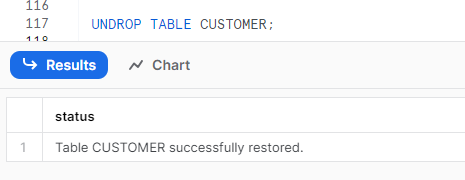
UNDROP TABLE CUSTOMER;

Resulting in :


Experiment 2 with undrop

And also a nice feature is the shifting (move aside) of a (new) version of a table to another place (rename) and then get the old version of a table back. 


CREATE OR REPLACE TABLE CUSTOMER (ID INT, NAME VARCHAR);

INSERT INTO CUSTOMER VALUES (1, 'Hennie'), (2, 'Peter'), (3, 'Karen') ;

DROP TABLE CUSTOMER;

CREATE OR REPLACE TABLE CUSTOMER (ID INT, NAME VARCHAR, BLA INT);

INSERT INTO CUSTOMER VALUES (1, 'Hennie', 100), (2, 'Peter', 200), (3, 'Karen', 300) ;

SELECT * FROM CUSTOMER

-- Show the history of the table
SHOW TABLES HISTORY;

-- Now rename the table
ALTER TABLE CUSTOMER RENAME TO CUSTOMER_Current;

-- Undrop the table
UNDROP TABLE CUSTOMER; 

SELECT * FROM CUSTOMER;

Results in :


Create a clone with timetravel

And the last experiment I want to show is the Clone. So if you want to restore a previous version of a table, you can use the clone option. It just makes a copy of the table (or another object).

CREATE OR REPLACE TABLE CUSTOMER_CLONE 
CLONE CUSTOMER AT (TIMESTAMP => '2023-12-14 12:00:25.925'::timestamp);

SELECT * FROM CUSTOMER_CLONE;

Results in :


Final Thoughts

I wanted to created a complete list of timetravel options and experiments in this blogpost. Let me know what you think.

Hennie

Snowflake issue with DATE_OUTPUT_FORMAT parameter

Today we encountered an issue with Snowflake. The DATE_OUTPUT_FORMAT parameter was not used when outputting the DATE datatype. The DATE_OUTPUT_FORMAT parameter is een parameter that formats the display of a DATE column or for instance the CURRENT_DATE() function.


So this was the issue :


The parameter setting on ACCOUNT Level in Snowflake is set to YYYY-MM-DD.


Normally it was formatted according due the dutch date format settings into something like this (not the same setting as the example above):

A couple of persons also reported the same issue on the Snowflake Forums


After a day it's solved by Snowflake.

zondag 3 december 2023

Creating a table comparison stored procedure in Snowflake

Introduction

Sometimes you want to compare tables between two databases. I've created a stored procedure in Snowflake that compares all the tables in a schema (or multiple schemas) between databases. 


The table comparison stored procedure

The SP_TABLE_COMPARE stored procedure has three parameters :

  • DATABASE_NAME1
  • DATABASE_NAME2
  • Schemas

And you call this stored procedure with :

CALL SP_TABLE_COMPARE ('ADVENTUREWORKSLT', 'ADVENTUREWORKSLTCLONE', '''SALESLT''') 


If executed, the following output is generated (I've just included the last columns):


So here it will return whether the column(name) is different between the two databases, the position in the table is different (or the same) or the datatype of the field is different (or the same). You can add more checks if you want. I also added one column "SOMETHING_IS_DIFFERENT" that can help identifying whether something is different or not.


It is also possible to include more schemas.


CALL SP_TABLE_COMPARE ('ADVENTUREWORKSLT', 'ADVENTUREWORKSLTCLONE', '''SALESLT'', ''PUBLIC''') 


This is the stored procedure :


CREATE OR REPLACE PROCEDURE SP_TABLE_COMPARE (DATABASE_NAME1 STRING, DATABASE_NAME2 STRING, INCLUDED_SCHEMAS STRING) 
RETURNS TABLE ( DB1_FULL_NAME STRING,  
                DB1_TABLE_SCHEMA STRING,
                DB1_TABLE_NAME STRING,  
                DB1_COLUMN_NAME STRING,
                DB1_ORDINAL_POSITION INTEGER, 
                DB1_IS_NULLABLE STRING,
                DB1_DATA_TYPE STRING, 
                DB1_CHARACTER_MAXIMUM_LENGTH INTEGER,
                DB2_FULL_NAME STRING, 
                DB2_TABLE_SCHEMA STRING, 
                DB2_TABLE_NAME STRING,  
                DB2_COLUMN_NAME STRING,
                DB2_ORDINAL_POSITION INTEGER, 
                DB2_IS_NULLABLE STRING, 
                DB2_DATA_TYPE STRING, 
                DB2_CHARACTER_MAXIMUM_LENGTH INTEGER,
                COLUMN_NAME_COMPARE STRING,
                ORDINAL_POSITION_COMPARE STRING,
                DATATYPE_COMPARE STRING,
                SOMETHING_IS_DIFFERENT INTEGER,
                COLUMN_COUNT INTEGER
            )
LANGUAGE SQL 
AS   
$$      
DECLARE

    SQL_STATEMENT STRING DEFAULT '
        WITH CTE_DB1 AS (
            SELECT T.TABLE_NAME, T.TABLE_SCHEMA, COLUMN_NAME, C.ORDINAL_POSITION, IS_NULLABLE, DATA_TYPE, CHARACTER_MAXIMUM_LENGTH
            FROM ' || :DATABASE_NAME1  || '.INFORMATION_SCHEMA.COLUMNS C
            INNER JOIN ' || :DATABASE_NAME1  || '.INFORMATION_SCHEMA.TABLES T ON  c.table_schema = t.table_schema and c.table_name = t.table_name
            WHERE 1=1
            AND T.TABLE_SCHEMA IN (' || :INCLUDED_SCHEMAS || ') 
            AND T.TABLE_TYPE = ''BASE TABLE''
        ),
        CTE_DB2 AS (
            SELECT T.TABLE_NAME, T.TABLE_SCHEMA, COLUMN_NAME, C.ORDINAL_POSITION, IS_NULLABLE, DATA_TYPE, CHARACTER_MAXIMUM_LENGTH
            FROM ' || :DATABASE_NAME2  || '.INFORMATION_SCHEMA.COLUMNS C
            INNER JOIN ' || :DATABASE_NAME2  || '.INFORMATION_SCHEMA.TABLES T ON  c.table_schema = t.table_schema and c.table_name = t.table_name
            WHERE 1=1
            AND T.TABLE_SCHEMA IN (' || :INCLUDED_SCHEMAS || ') 
            AND T.TABLE_TYPE = ''BASE TABLE''
        )
        SELECT 
        DB1.TABLE_SCHEMA || ''.'' || DB1.TABLE_NAME || ''.'' ||  DB1.COLUMN_NAME AS DB1_FULL_NAME, 
        DB1.TABLE_SCHEMA                  AS DB1_TABLE_SCHEMA, 
        DB1.TABLE_NAME                    AS DB1_TABLE_NAME,  
        DB1.COLUMN_NAME                   AS DB1_COLUMN_NAME,
        DB1.ORDINAL_POSITION              AS DB1_ORDINAL_POSITION, 
        DB1.IS_NULLABLE                   AS DB1_IS_NULLABLE, 
        DB1.DATA_TYPE                     AS DB1_DATA_TYPE, 
        DB1.CHARACTER_MAXIMUM_LENGTH      AS DB1_CHARACTER_MAXIMUM_LENGTH, 
        DB2.TABLE_SCHEMA || ''.'' || DB2.TABLE_NAME || ''.'' ||  DB2.COLUMN_NAME AS DB2_FULL_NAME, 
        DB2.TABLE_SCHEMA                  AS DB2_TABLE_SCHEMA, 
        DB2.TABLE_NAME                    AS DB2_TABLE_NAME,  
        DB2.COLUMN_NAME                   AS DB2_COLUMN_NAME,
        DB2.ORDINAL_POSITION              AS DB2_ORDINAL_POSITION, 
        DB2.IS_NULLABLE                   AS DB2_IS_NULLABLE, 
        DB2.DATA_TYPE                     AS DB2_DATA_TYPE, 
        DB2.CHARACTER_MAXIMUM_LENGTH      AS DB2_CHARACTER_MAXIMUM_LENGTH,
        CASE 
            WHEN DB1_COLUMN_NAME IS NULL THEN ''COLUMNNAME ONLY EXISTS IN DB2'' 
            WHEN DB2_COLUMN_NAME IS NULL THEN ''COLUMNNAME ONLY EXISTS IN DB1''
            WHEN DB1_COLUMN_NAME IS NOT NULL AND DB2_COLUMN_NAME IS NOT NULL  THEN ''COLUMNNAME EXISTS IN BOTH TABLES''
        END AS COLUMN_NAME_COMPARE,
        CASE 
            WHEN DB1_ORDINAL_POSITION <> DB2_ORDINAL_POSITION THEN ''SEQUENCE IS DIFFERENT''
            WHEN DB1_ORDINAL_POSITION = DB2_ORDINAL_POSITION THEN ''SEQUENCE IS THE SAME''
        END ORDINAL_POSITION_COMPARE,
        CASE 
            WHEN DB1_DATA_TYPE <> DB2_DATA_TYPE THEN ''DATATYPE IS DIFFERENT''
            WHEN DB1_DATA_TYPE = DB2_DATA_TYPE THEN ''DATATYPE IS THE SAME''
        END DATATYPE_COMPARE,
        CASE WHEN COLUMN_NAME_COMPARE IN (''COLUMNNAME ONLY EXISTS IN DB1'',''COLUMNNAME ONLY EXISTS IN DB2'') OR
            ORDINAL_POSITION_COMPARE = ''SEQUENCE IS DIFFERENT'' OR
            DATATYPE_COMPARE = ''DATATYPE IS DIFFERENT'' THEN 1 
        END SOMETHING_IS_DIFFERENT,
        1 AS COLUMN_COUNT
        FROM CTE_DB1 DB1
        FULL OUTER JOIN CTE_DB2 DB2 ON DB1.TABLE_NAME = DB2.TABLE_NAME  
        AND DB1.TABLE_SCHEMA = DB2.TABLE_SCHEMA 
        AND DB1.COLUMN_NAME = DB2.COLUMN_NAME;'; 
  
  RES RESULTSET DEFAULT (EXECUTE IMMEDIATE :SQL_STATEMENT);

BEGIN
    SELECT 1;
  RETURN TABLE(RES);
END;
$$;


Final Thoughts

This blogpost descibes a simple stored procedure that can help you comparing tables between different databases.


Hennie