vrijdag 30 juni 2023

Fabric : Unidentified in Lakehouse

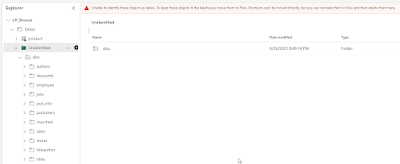
I've an interesting thing in Microsoft Fabric, a Unidentified folder :


According to Microsoft

"The Unidentified Area is a part of the managed area of your lake which displays any folders or files in the managed area with no associated tables in SyMS. For example, if a user were to drop an unsupported folder/file in the managed area, eg: a directory full of pictures or audio, this would not get picked up by our auto-detection process and hence not have an associated table. In this case, this folder would be found in this unidentified area. The main purpose of this new section is to promote either deleting these files from the managed area or moving them to the file section for further processing."


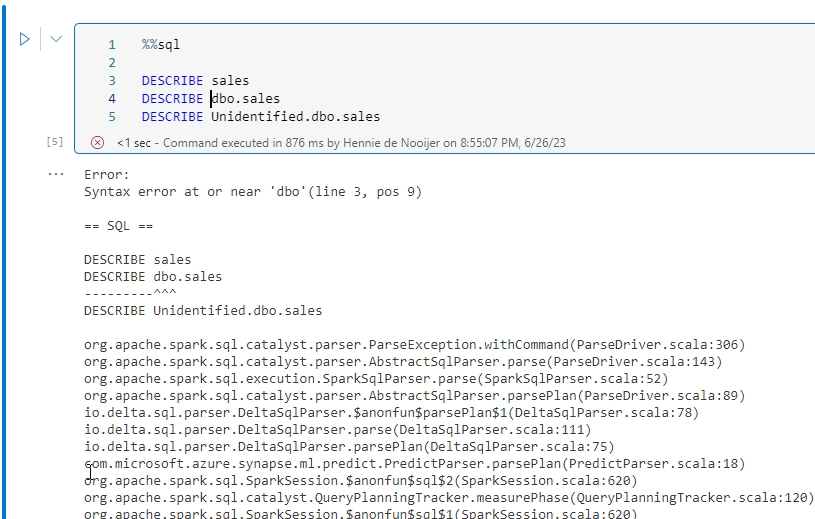
Strangly,  I was just creating tables in Lakehouse with some PySpark scripts and somehow the table was organized into a Unidentified folder. But, when I watched it a  couple of seconds later, it was gone. 


Theo Lachev also write a blogpost about the unidentified folder :

"Going quickly through the list, the managed area (Tables) can’t be organized in subfolders. If you try to paint outside the “canvas”, the delta tables will end up in an Unidentified folder and they won’t be automatically registered. Hopefully, this is a preview limitation since I don’t see you can implement a medallion file organization if that’s your thing."


It still not quite clear to me what the "Unidentified" folder means. In my example it seems a temporary issue because it disappeared after a few moments. If someone has more information about this, I'm curious. Let me know.

Fabric : Installing and using Onelake Explorer

Introduction

It's also possible to explore Onelake with Windows explorer. It looks just like Onedrive and it's easy to install and use. A small blogpost about the installation of OneLake Explorer.


Installation

You can download One lake explorer from the Microsoft site:


The msi file is downloaded to the local file system.


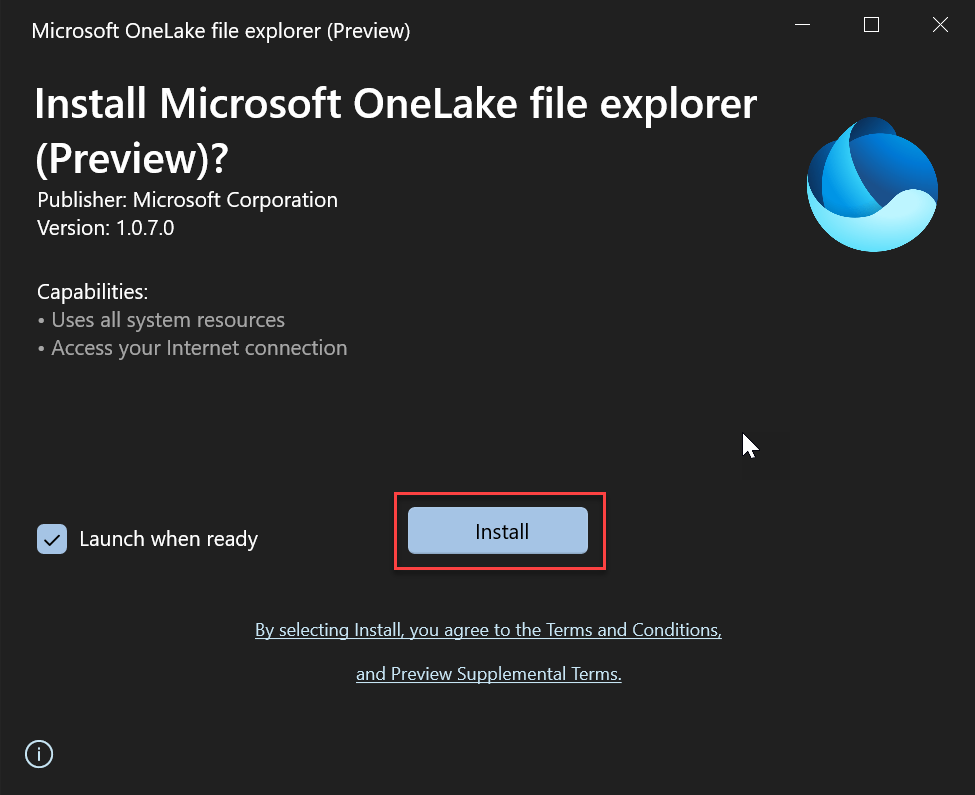
Next step is to click on the Install button to install One Lake explorer.


Login into your Fabric account and the OneLake explorer experience is just like OneDrive in your Windows Explorer. Here a small impression of the One Lake explorer.


Final thoughts

OneLake Explorer is easy to install and easy to use. 

donderdag 29 juni 2023

Fabric : Connect SSMS with Fabric


I was getting tired of the webbrowser experience of Fabric and I remembered somewhere in the vids of MSbuild that you can connect SSMS with Fabric. Thanks to this tip I managed to connect and now I have a SSMS experience on Fabric.


Goto the settings


And then you can copy the connectionstring and into the Server name box of the connection properties of SSMS.


And voila, I can connect to warehouses and the SQL Endpoints of lakehouses


Great, now I have a SSMS experience with Microsoft Fabric..

Hennie

maandag 26 juni 2023

Fabric : Shortcuts and referencing SQL Endpoints in Fabric

Introduction

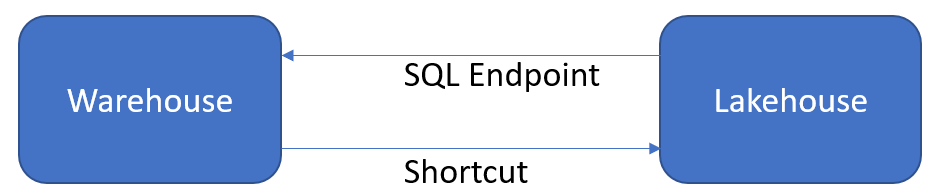
In this blogpost I'm investigating the reference between Warehouse and Lakehouse. You can reference in Warehouse, Lakehouse tables (and views) and viceversa. But it is not the same experience. It happens in different ways. In Warehouse you can reference a table in the Lakehouse with SELECT * FROM <Lakehouse>.<schema>.<tablename> (or<viewname>) and in the Lakehouse you can link a table from the Warehouse with a shortcut. 


Using data of a Lakehouse object in Warehouse

The first experiment is using Lakehouse data in Warehouse. It's a bit confusing because the option is + warehouses, but (in this example) I'm referencing a SQL Endpoint of the Lakehouse in the warehouse. Microsoft sees SQL endpoints as the same as a warehouse in Fabric. Click on the + Warehouses.


The select the SQL endpoint of the Lakehouse.


Now the selected SQL endpoint is in the Warehouse


And now I can query the data from the Lakehouse in the Warehouse. This can be seen in the following screenshot.


Can I change the data of the Lakehouse with Warehouse? Let's see if I can do that.

No, you cannot. The error message is "Data Manipulation Language (DML) statements are not supported for this table type in this version of SQL Server." SQL Server? Anyway it's not possible.


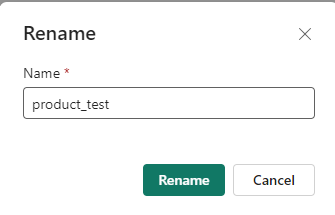
What happens when I change the name of the table in the Lakehouse? I change the name with the Rename option in Lakehouse

Let's rename it into "product_test".


And now check the query in Warehouse. I had to refresh the Lakehouse in Warehouse. If I don't do that, the query executes succesfully surprisingly. It keeps working 'correctly' until I refresh the Lakehouse. It's a bit confusing. May be it's a timing issue? It's also a bit awkward that whenever I leave the Warehouse item, the Lakehouse disappears and I have add it everytime when I enter the Warehouse again. In the end it will give this error.


Yet another thing is the option to remove the item form the dataset. It seems that Fabric is saying that the product table is added to the standard dataset? Let's try to remove it.


It will give an error : 


The error message : "Unable to update BI model with these changes. Please try again later or contact support."

I'm not sure whether the error is correct now because I was renaming the table now and then. May be Fabric is now confused, now;-). Is it supposed to be that when Lakehouse is 'connected' that you can add tables of the Lakehouse to the Warehouse standard dataset? Then, it seems to me that this is not completely correcty implemented yet.


Using data of Warehouse in Lakehouse

Next is how we can use data from the Warehouse in the Lakehouse.


And then I have to tell Microsoft Fabric which location where I can find the object.


Select the Warehouse.


Select the tables (or views). I select the complete schema as a shortcut.


And now the tables are available in the Lakehouse 


Can I query the tables in the notebook? And use these in the notebook? No I can't seem to get this working properly. I'm not sure whether what I'm doing wrong or that this is not properly implemented yet by Microsoft.


I think that I should create a shortcut directly to a table and not at a higher level at the Warehouse. When I reference the table 'sales' directly it's working. 


So the table is shortcutted from the Warehouse in the Lakehouse and I can use this in my notebook. Interesting!


Final Thoughts

The first thing that comes to my mind is why "shortcuts" in Lakehouse and why a "reference a SQL Endpoint" in Warehouse. Why not use "shortcuts" everywhere (and use the SQL endpoint under water?). It would have been a consistent user experience in my opinion if Microsoft would used shortcuts everywhere. It's a bit confusing. But the idea of linking data is great! Now you could say that the data warehouse guys (or girls) develop the truth (for instance a customer table) and you can use these in the Lakehouse for data engineering a Machine learning model.

Hennie


zondag 25 juni 2023

Fabric : Naming conventions for Microsoft Fabric

Introduction 

This is the first concept of defining a naming convention in Microsoft Fabric. I think it's good to define a naming convention for Fabric because the list of components in Fabric can grow enormeously. After a couple of experiments I already have these components and this is nothing when working in a real life situation.


Why should you use a naming convention anyway? By working in an unambiguous way it creates various advantages. These benefits will ensure that:
  • People are less dependent on the implicit knowledge of internal and external employees
  • Interchangeability of employees in project building, debugging and troubleshooting
  • Better overview (making adjustments easier)
  • Faster insight into (possible) problems
  • Faster troubleshooting
  • Auditability
  • Simpler impact analyses
  • Higher availability


You can look at naming conventions in two ways : prefix the items of postfix the items. So prefixing would mean that all the same items are organized together. Postfixing would mean that all the items that start with the same character belongs functional together. So, technical organized or functional organized!


Microsoft Fabric Components

What are the components of Microsoft Fabric (so far) :

  • Capacity : CP_<CapacityName>
  • Workspace : WS_<WorkspaceName>
  • Data pipeline :  DP_<DataPipeline>
  • Dataflow Gen2 :  DF_<DataFlowName>
  • Eventstream :  ES_<EventstreamName>
  • Experiment : EX_<ExperimentName>
  • KQL Database : KD_ <KQLDatabaseName>
  • KQL Query set :  KQ_<KQLQuerysetName>
  • LakeHouse : LH_<LakeHouseName>
  • Model : MD_<ModelName>
  • Notebook :  NB_<NotebookName>
  • Report : RP_<ReportName>
  • Spark Job Defintion :  SD_<SparkJobName>
  • Warehouse : WH_<WarehouseName>


As said before, you can also postfix the items, like <WarehouseName>_WH.


Naming convention Warehouse

Now warehouse is the place where I'm the most familiar with. In Warehouse you have (now) 4 kinds of objects : 
  • Procedures : sp<ProcedureName>
  • Functions : fn<FunctionName>
  • Tables : tbl<TableName>
  • Views : vw<ViewName>
Now I know that in SQL server there were issues calling stored procedures sp<Procedurename> because SQL Server would look first between the system stored procedures, before it would search the stored procedure between the stored procedures that users created. This would lead to a performanceloss. I'm not sure if this is the case in Microsoft Fabric. 

Yet another discussion point is naming views vw and tables tbl, because if you decide to materialize views into tables, you have to rename the objects and that could break the data pipeline.

There are also datatypes in Datawarehouse and when you use these in Procedures en Functions you can use this naming convention in order to quickly see the datatype of a variable. This can be handy.
  • Bigint : big<Variabelename>, example bigPatientId
  • Binary : bin<Variabelename>, example binMessage
  • Bit : bit<Variabelename>, example Isok
  • Char : chr<Variabelename>, example chrPatientName
  • Uniqueidentifier : guid<Variabelename>, example guidkey
  • Varbinary : vab<Variabelename>, example vabMessage
  • Varchar :  chv<Variabelename>, example chvPatientName
  • Date : dt<Variabelename>
  • Time : tm<Variabelename>
  • Datetime2 :  dtm<Variabelename>,  dtmAppointmentdate
  • Float : flt<Variabelename>, example fltmeasurement
  • Integer : int<Variabelename>, example intPatientID
  • Numeric or decimal : dec<Variabelename>, example decAmount
  • Smallint : sin<Variabelename>, example sinSubcategoryID
  • Real : rea<Variabelenaam>, example reaBedrag

Naming convention Data Engineering


To be continued


Naming convention Data Pipeline


To be continued


Naming convention PowerBI


To be continued

Final thoughts

This is a ongoing blogpost where I add naming conventions for the other Microsoft Fabric experiences